Get efficient
Capture once. Reduce duplicate entry and free time for the work that matters.
HOW SQCDP WORKS
From the operator’s first check to the management team’s next decision. Start with the workflows you need, then build confidence and consistency.
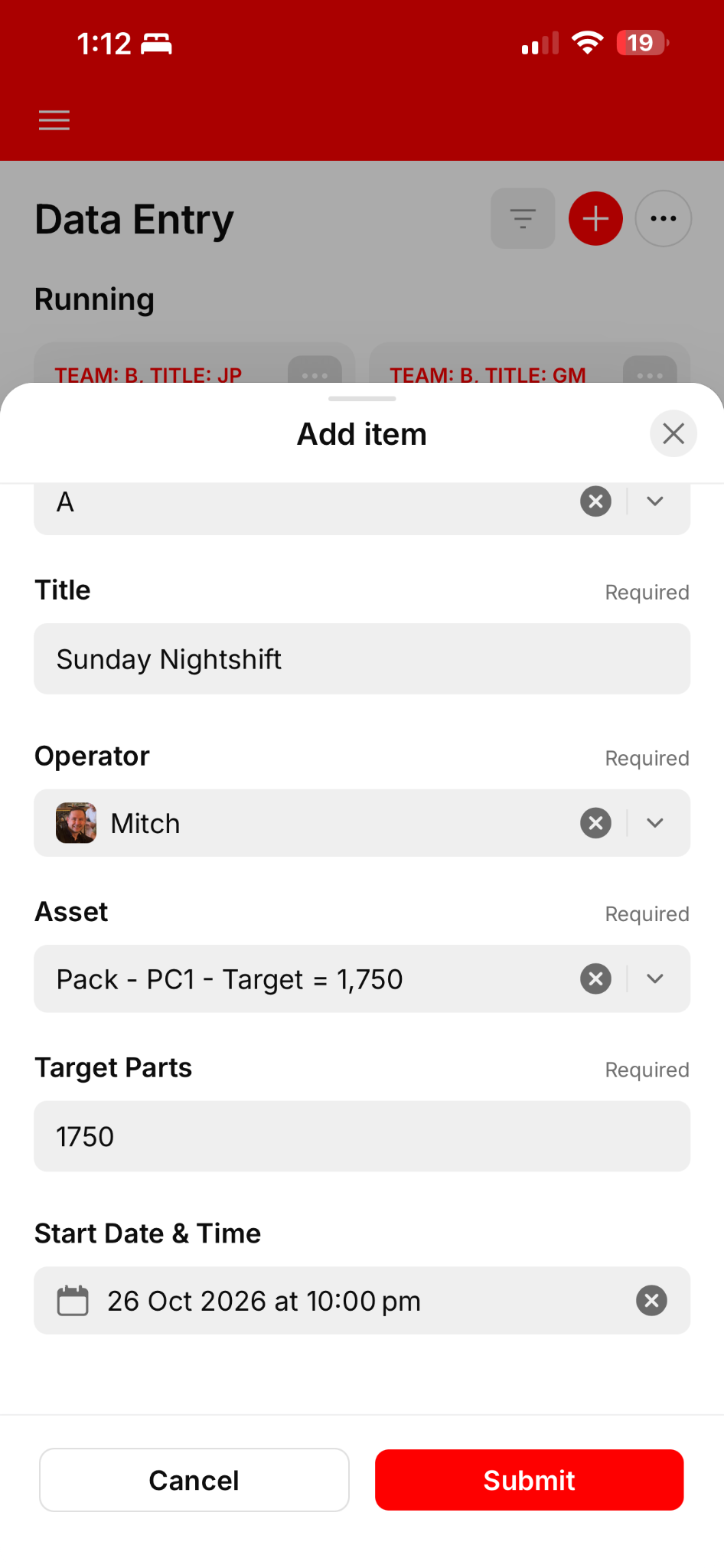
SIGN ON & CHECK
Operators start their digital shift record with their work area, identity and production target, then complete the checks required for their work area. Digital pre-start checks bring safety and readiness into the shift routine, with records linked to the people and assets involved.
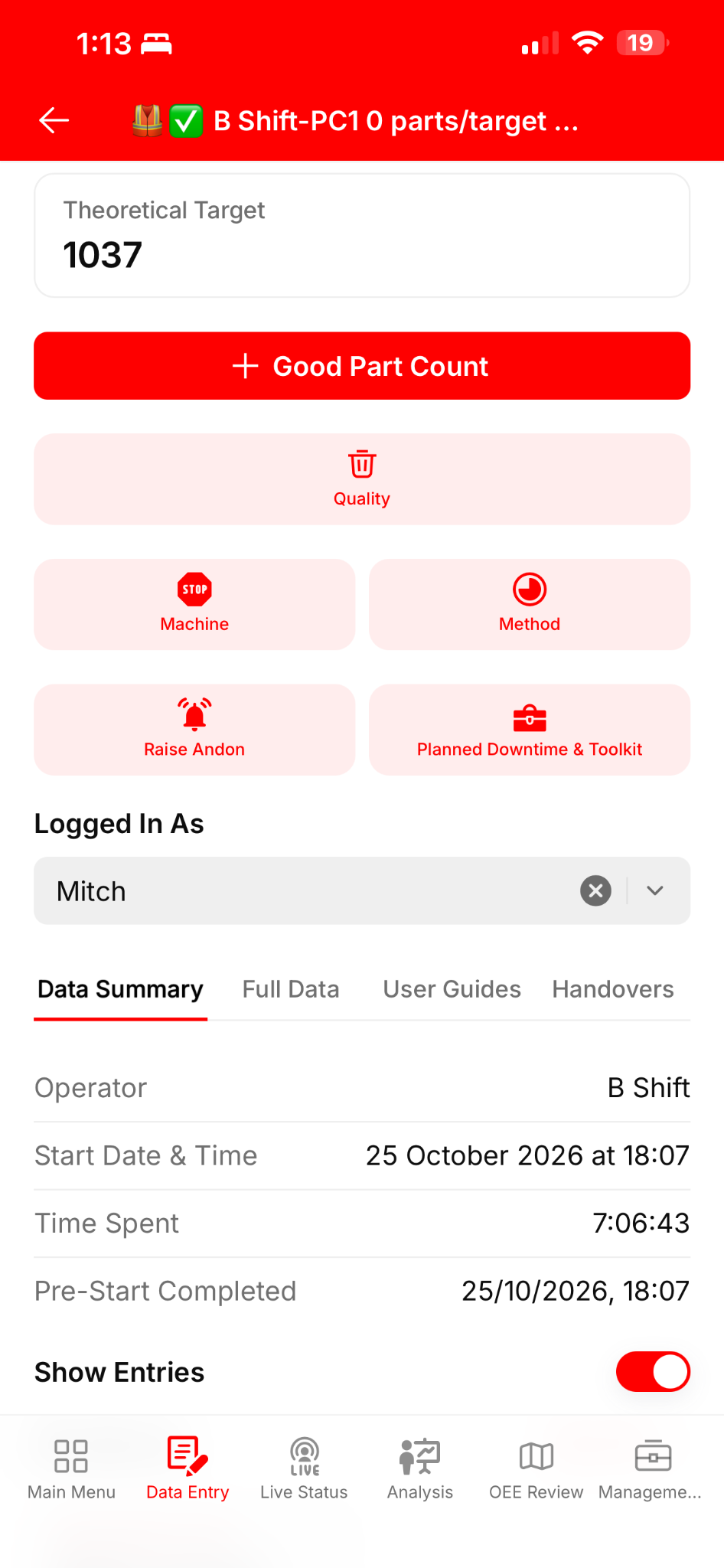
RECORD THE WORK
Accessible buttons bring production counts, quality issues and downtime into the operator’s workflow. Record production at the frequency your operation needs: by cycle, batch, hour or another agreed routine. Nudges remind operators when an update is due.
The standard template distinguishes Breakdown and Unplanned downtime. Customer administrators can configure terminology to suit their operation.
SEE & RESPOND
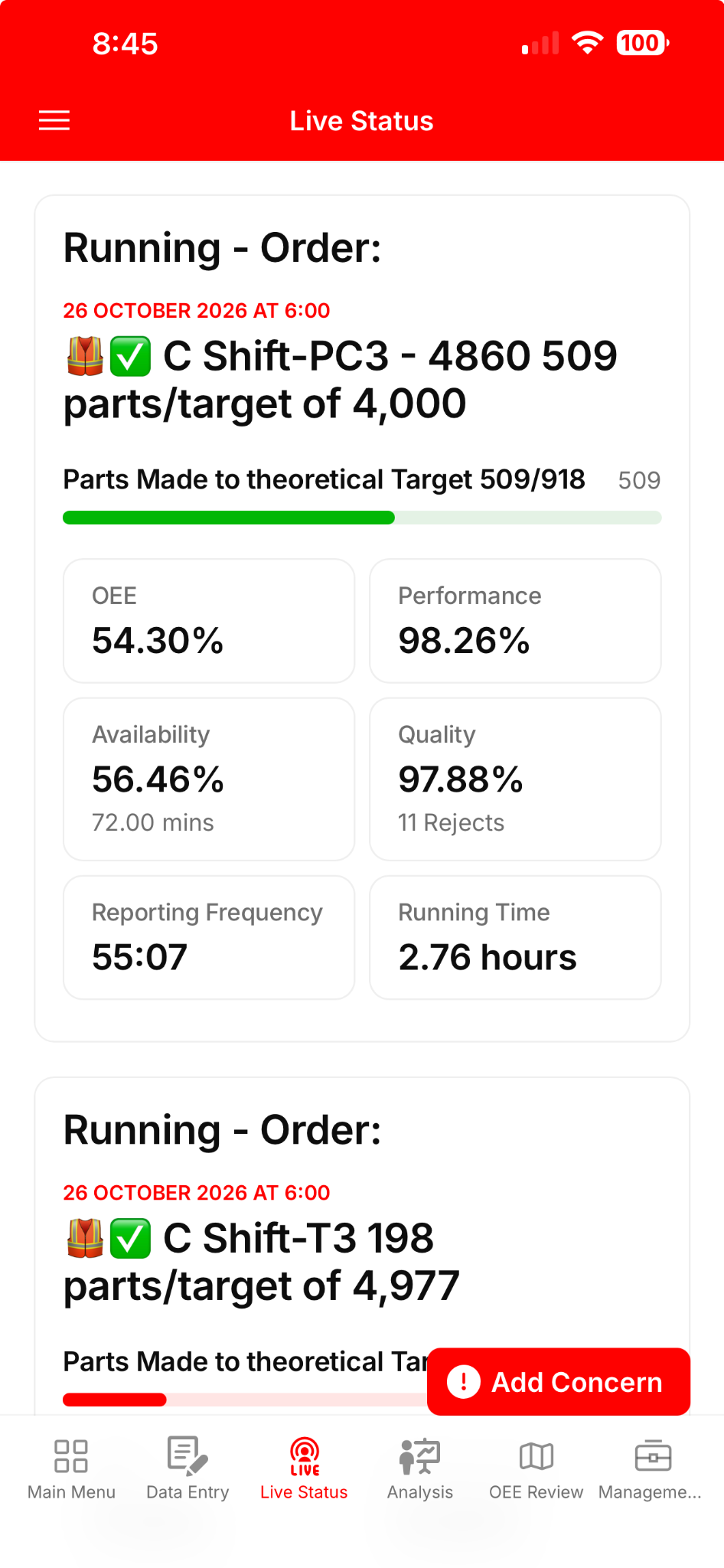
See production against the expected target, downtime and quality in one live view—so teams can spot where attention is needed while the shift is still running. Live views bring operational progress to mobile devices, tablets, laptops and large lineside screens. Teams can see the losses and progress behind the shift result.
Administrators choose escalation trigger points and distribution rules. The template starts without escalations: introduce them as your team’s routines mature.
LIVE FACTORY VIEW
Production, targets, losses and live status across work areas in one place. A shared view to help teams organise their working day, every day.
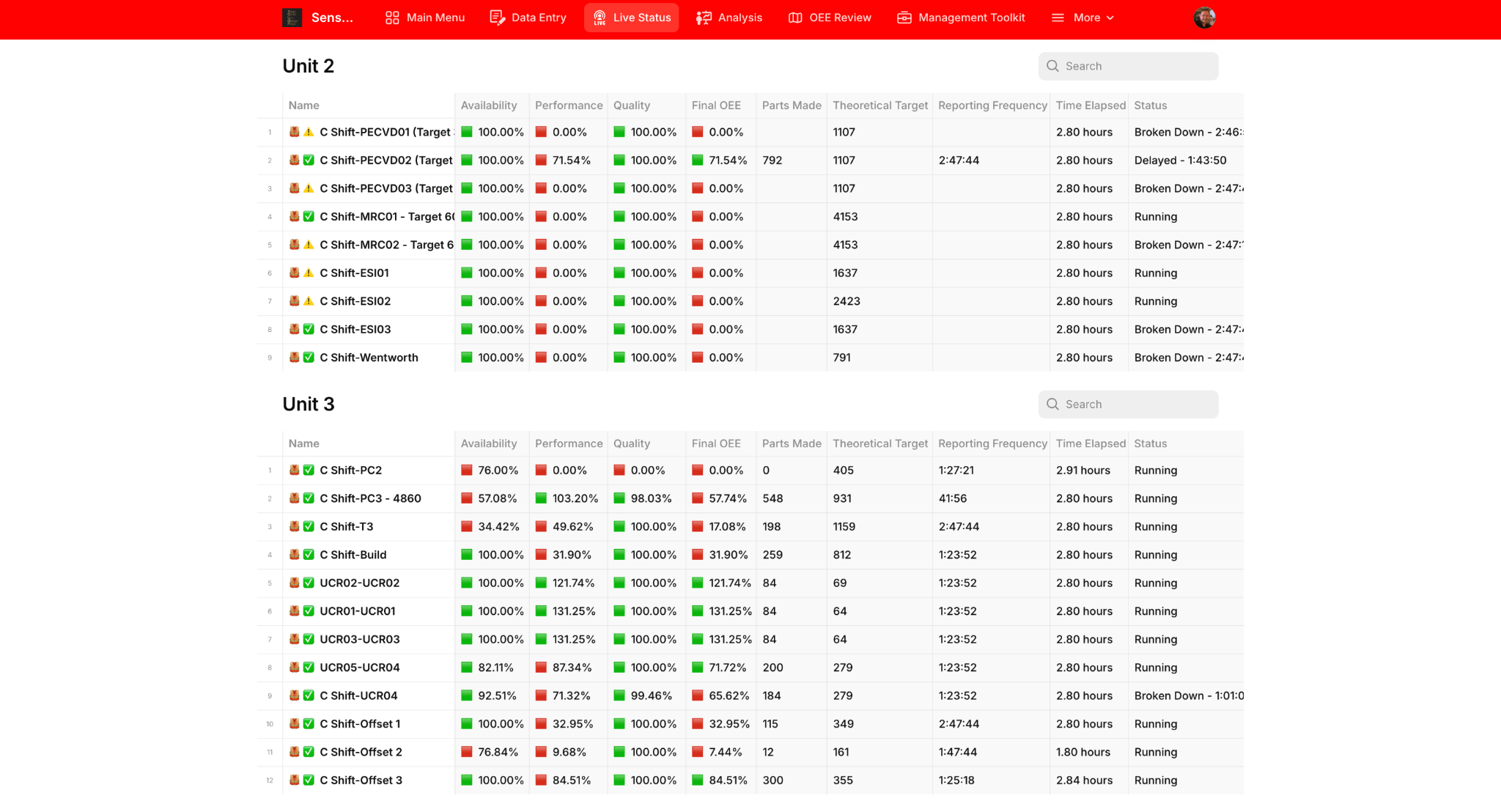
Results update as shift data is recorded. Performance above 100% means output is exceeding the configured production rate; this feeds into the displayed OEE calculation. Although the screen labels the result “Final OEE”, it remains a live calculated result while the shift is active.
REVIEW & IMPROVE
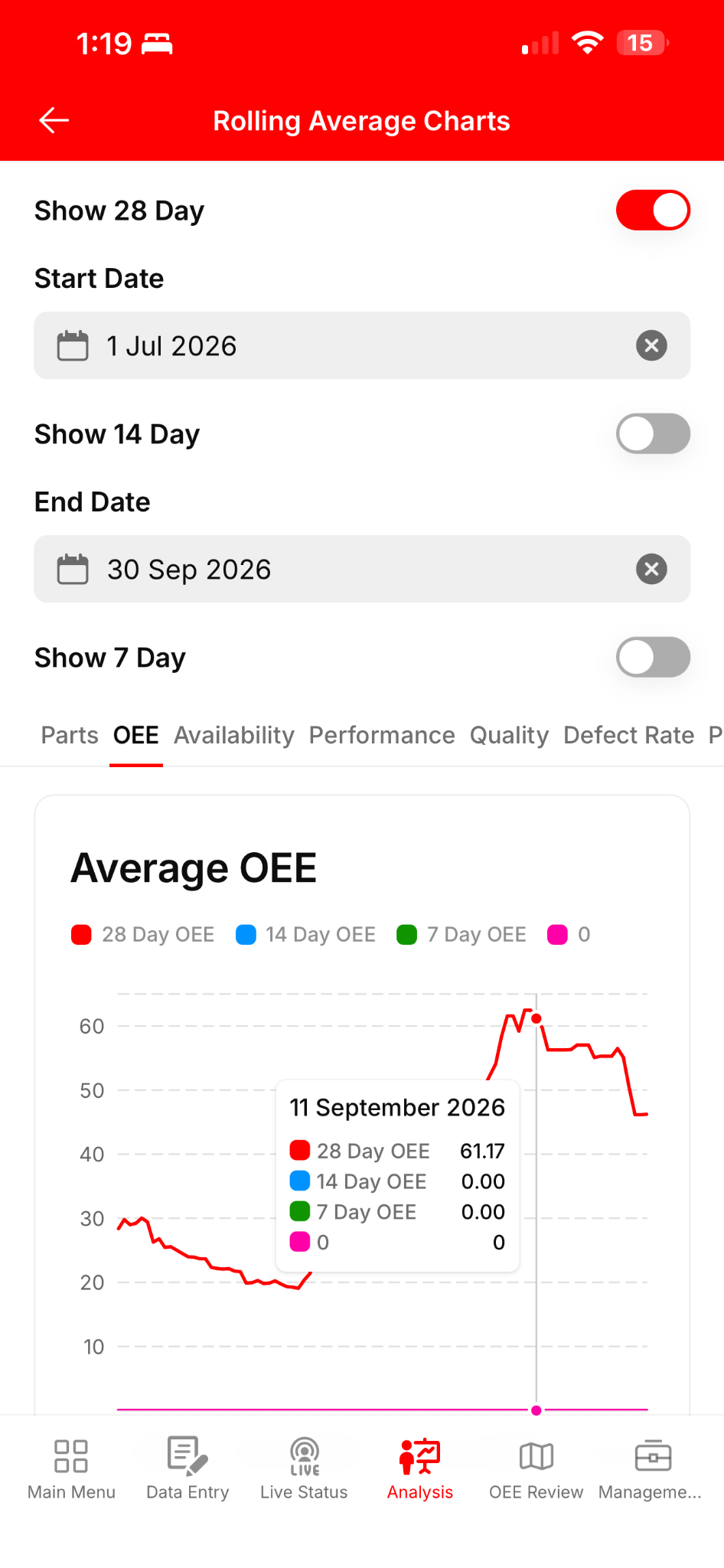
Review trends over time to identify where investigation and improvement effort should focus. Use shift data in tiered reviews, analysis dashboards and AI-supported reports. Root cause analysis and action management support investigation, countermeasures, ownership and follow-through. Give operators and managers consistent routines for reviewing performance and acting on what they learn.
Digital audits, quality records, batch information and quarantined-part records can deepen the process as your scope grows. AI analysis supports human judgement; teams remain responsible for decisions.
A MANAGEMENT SYSTEM THAT GROWS WITH YOU
You can support an existing shop-floor management system or use the standard template to establish one. This is a consistent product with customer-configurable workflows—not a new bespoke installation every time.
Capture once. Reduce duplicate entry and free time for the work that matters.
See progress, losses and checks across the shift on the screens your team uses.
Turn shared evidence into decisions, countermeasures and accountable action.
Reinforce consistent routines, ownership and learning as your team matures.
INTEGRATIONS AFTER GO-LIVE
Establish the standard SQCDP routines first. Then assess connections with ERP, maintenance, planning or other systems where the business case supports the work.
We can support discovery, scoping and delivery with your team and the system providers. Access requirements, responsibilities, scope and any additional cost are agreed before the integration project begins.
Discuss an integration ↗AI WITHIN YOUR DAILY MANAGEMENT ROUTINE
AI-supported reports, analysis and problem-solving support are part of SQCDP. They build on the production records, losses, checks and operator context captured through your normal workflow.
Use AI-supported reporting to bring shift information into your management routine, alongside live dashboards and tiered reviews.
Explore the information behind performance and recurring losses. Structured records connect events to shifts, assets and production; operator notes add the context behind the numbers.
Review AI findings with your team’s experience, investigate causes and turn agreed countermeasures into owned actions. Your people decide what to do and track the follow-through.
Build consistent capture and useful reviews first. As your needs grow, scoped integrations with other business systems can extend the flow of information after go-live.
Build your foundation during Launch ↗YOUR NEXT SHIFT COULD LOOK DIFFERENT
Explore the fit, see the system or take the next step towards your own Launch.